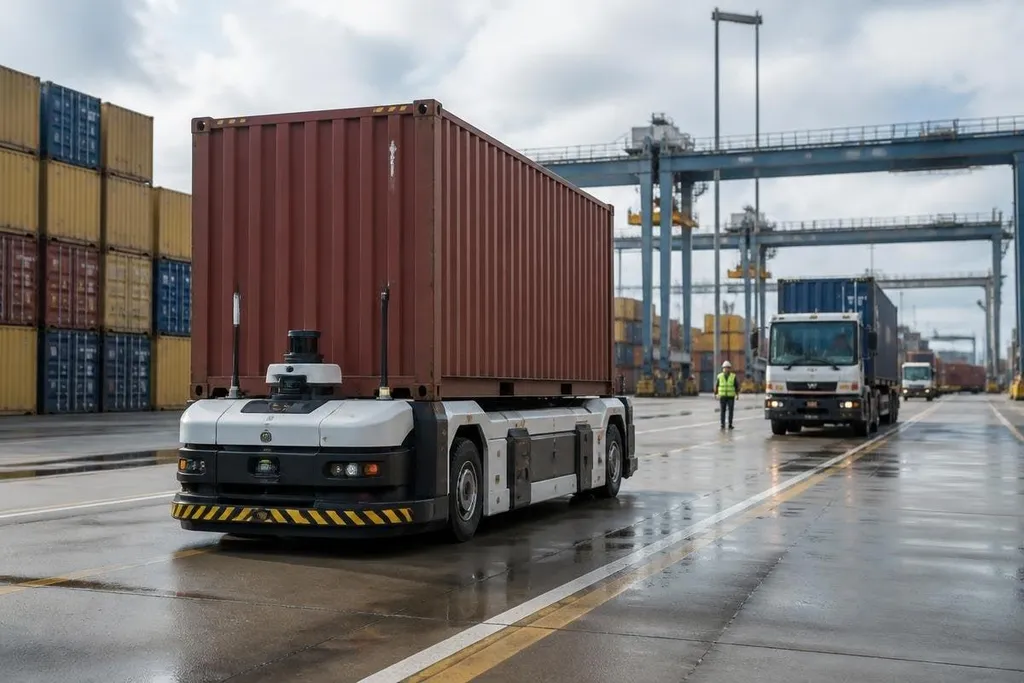
Port robots work around containers, trucks, cranes, rails, and people. AI can help them read that scene, choose a route, and react when the plan changes, but the robot still faces the weight, weather, and safety rules of a working port.
- AI reads camera and sensor data to spot objects and open paths.
- Route software can change a robot’s path when traffic or obstacles appear.
- Human checks, safe stopping, and strong hardware remain part of the system.
What AI adds to a port robot
A port robot starts with sensors. Cameras can record color and shape, while LiDAR measures distance by sending out laser pulses and timing their return. AI software can sort that data into useful labels, such as container, truck, crane, person, or clear ground.
Those labels matter because a robot needs more than a map. It needs to know which objects may move, which paths are blocked, and where a person could enter its route. The software can then send a route to the robot’s motion system, which controls the wheels, tracks, or arm.
The same process can help with container checks.
A camera system may look for a damaged corner, an open door, a missing seal, or a number that does not match the work order. A person still needs to review uncertain cases, especially when dirt, rain, glare, or a poor camera angle hides the detail.
Where the work becomes useful
Port automation has many repeat tasks. Robots may move containers across a yard, inspect equipment, read markings, or carry tools to a work area. AI helps when the task has known goals but the surroundings change from one run to the next.
An autonomous mobile robot, or AMR, can use a map and sensor data to move without a fixed rail. If a truck blocks its planned route, the robot can stop, check another path, and continue when the route is safe. That decision takes place close to the machine, so a network delay does not have to control every wheel movement.
AI can also sort work by urgency. A system may send an inspection robot to a machine that shows an unusual temperature or vibration reading. The value comes from the link between the sensor reading, the work order, and the robot that can reach the site.
For a port manager, Robot24.com port robot reports can tie an AI claim to the machine and test site behind it. That record matters before the next section checks the physical limits software can’t remove.
The hard limits are physical
AI does not remove the need for reliable brakes, sealed electronics, strong mounts, or clear safety zones. Salt water, dust, rain, low light, and radio interference can all affect a port robot’s sensors or control link.
Training data also has limits. A vision system that works well in bright conditions may make more mistakes at night or when a container has a new paint color. The port operator needs a way to stop the robot, check its decisions, and add new cases to its tests.
I’d judge a port robot by its safe recovery from errors, not by a smooth demo in an empty yard.
That test should include a blocked route, a person entering the work area, a damaged label, and a lost network connection. Each case should have a stated response, such as stopping, calling a supervisor, or returning to a safe point.
A practical buying check
Before a port operator approves an AI robot, check these points:
- Task limits: Name the exact job, load, route, and work hours.
- Sensor range: Record how the system performs in rain, darkness, glare, and dust.
- Safe stop: Test the emergency stop, obstacle response, and remote handoff.
- Network loss: Confirm what the robot does when its control link drops.
- Human review: Set a rule for uncertain camera results and wrong labels.
- Service plan: Price spare parts, software updates, training, and repair time.
These checks turn a broad AI claim into a test that a port team can run. They also show where the system needs a person, a better sensor, or a different robot design.
The next useful measure is not how often a robot completes a perfect run. It is how safely the system handles the ordinary failures that fill a real port: blocked lanes, bad weather, unclear markings, and a network that stops answering.